
Increased orders by adding Rx parameters in checkout
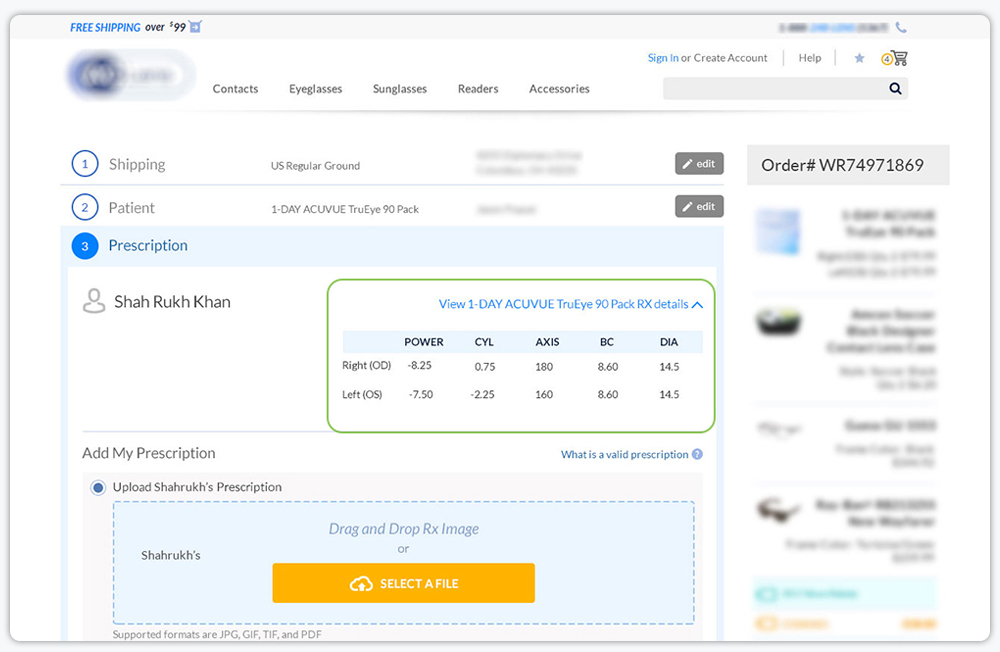
Add a prescription table in checkout that could help patient confirm their entered prescription before providing their proof of prescription. The prescription is assigned to a customer and every prescription product is required for doctor verification purposes.
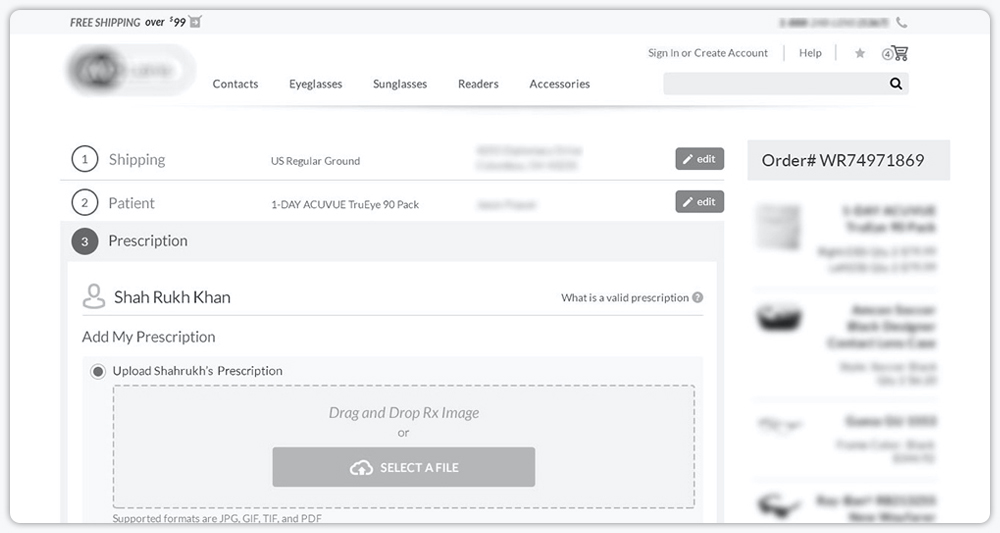
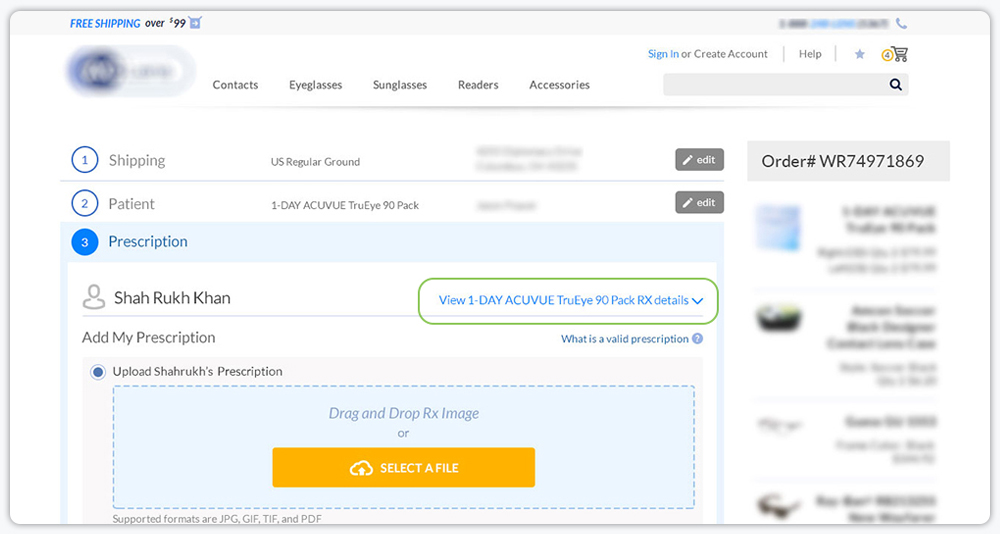
My task was to display the Rx table in such a way that: 1) Would not break the checkout flow or conversion, 2) Patient can view their entered Rx information individually per product, and 3) The user would not have to go back to the shopping cart to confirm their entered Rx information.
The Challenge
Old design without Rx table
Research
I took some time to research competitor sites. Surprisingly, very few competitors displayed the Rx table in checkout. After competitor analysis and some user testing, I found users would prefer seeing the Rx table near the product image or patient name. Visually it was giving confidence in users to view their Rx parameters next to their name or their selected product.
New Design
Result
After launch, we observed the new feature helped customers upload prescriptions with confidence as they can now confirm mid-checkout what Rx parameters they have selected, It did not affect the checkout flow nor did reduce the conversion rate, but did improve the user confidence in shopping.